
Features
Comprehensive features of REST Client Next for API testing in VS Code.
Main Features
REST Client Next includes a rich set of features designed to make API testing convenient and efficient.
HTTP Request Operations
- Send/Cancel/Rerun HTTP requests directly in the editor
- View responses in a separate pane with syntax highlighting
- Support for all standard HTTP methods (GET, POST, PUT, DELETE, PATCH, etc.)
- Multiple requests in a single file separated by
###delimiter - Select specific text to send only that portion as a request
GraphQL Support
- Send GraphQL queries using request body
- Author GraphQL variables in the request body
- Separate GraphQL query and variables with a blank line
- Set
X-Request-Type: GraphQLheader to identify as GraphQL request
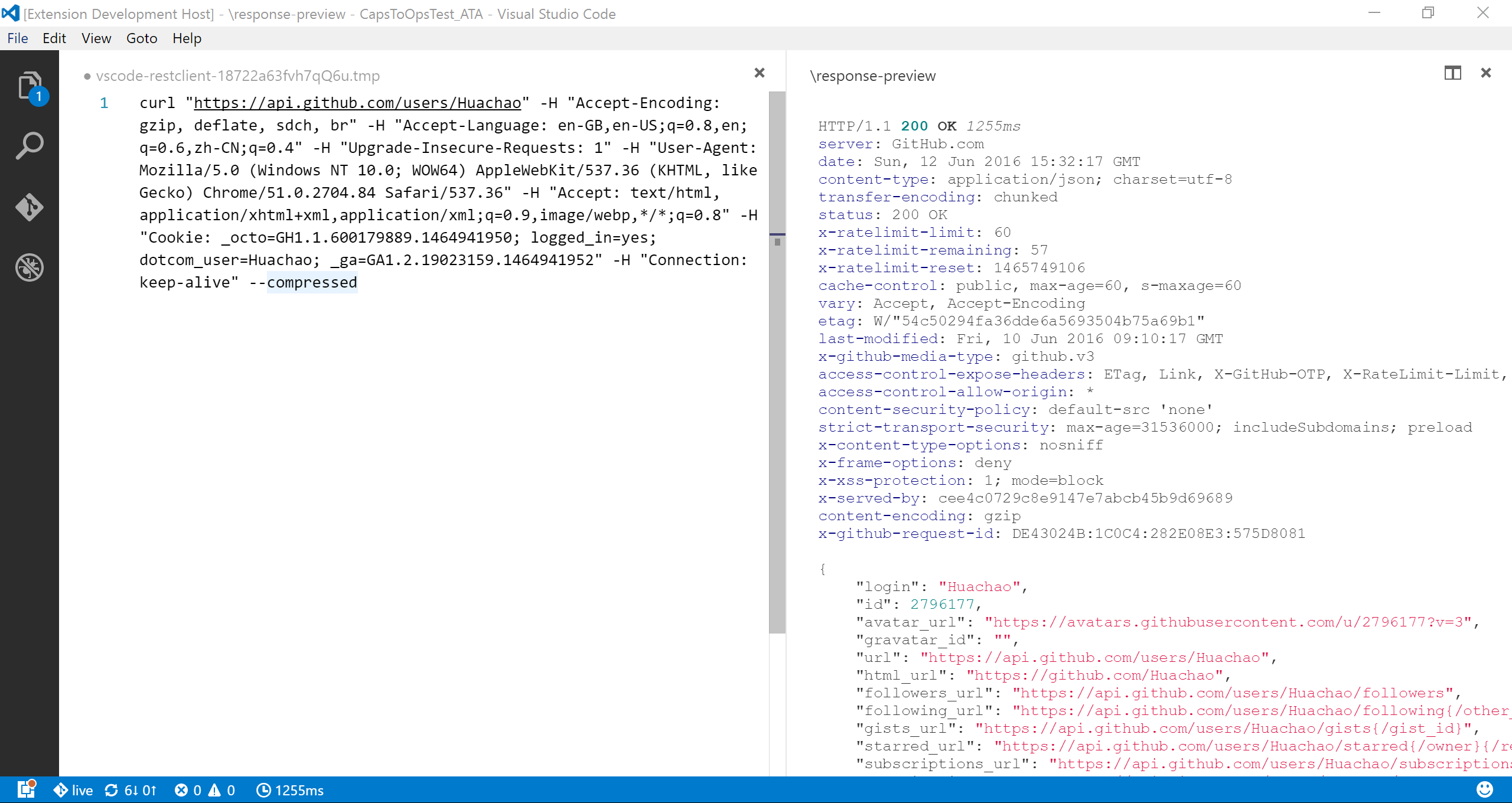
cURL Integration
- Send cURL commands directly in the editor
- Copy HTTP requests as cURL commands (
Rest Client: Copy Request As cURL) - Supported cURL options:
-X, --request-L, --location, --url-H, --header(no@support)-I, --head-b, --cookie(no cookie jar file support)-u, --user(Basic auth only)-d, --data, --data-ascii, --data-binary, --data-raw
Request History
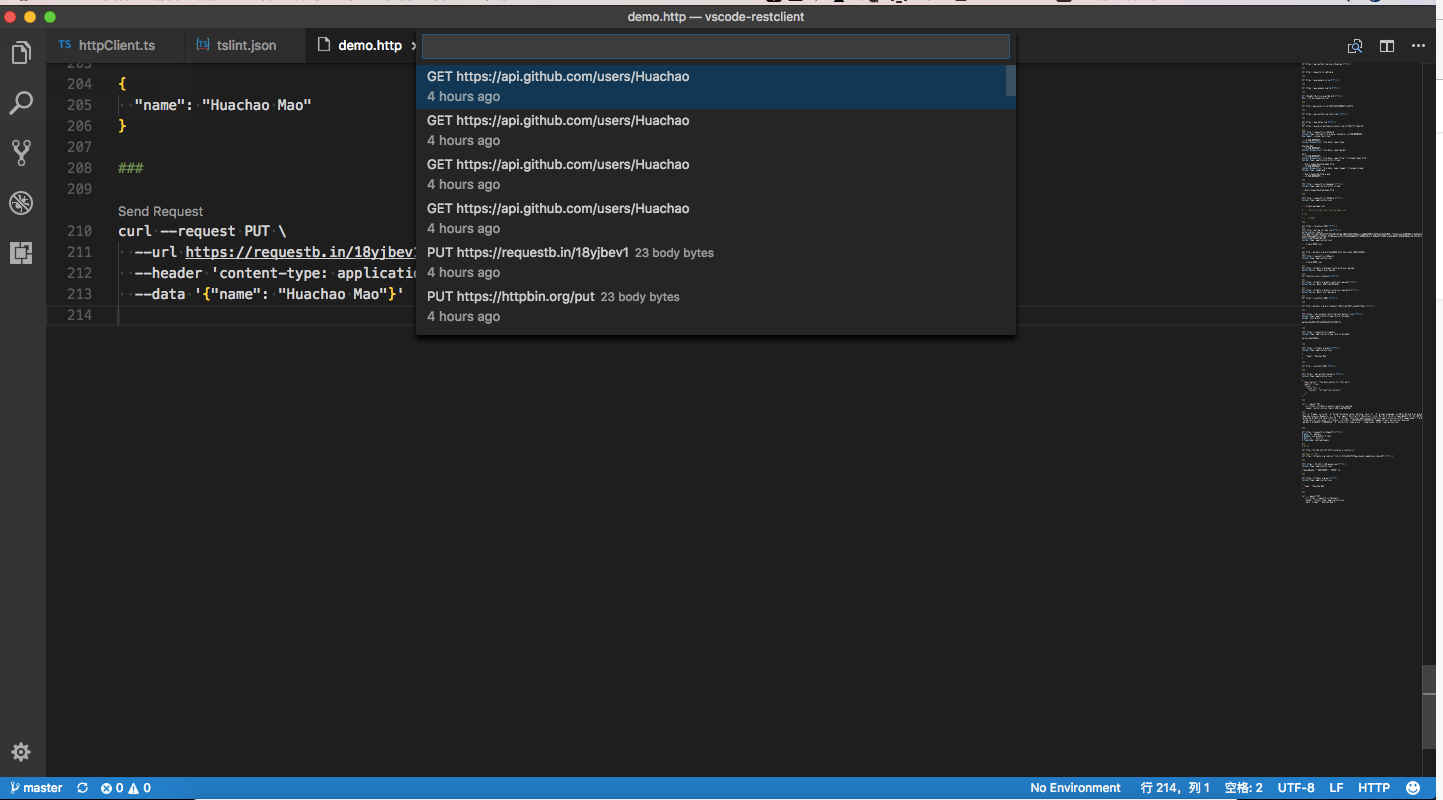
- Auto-save every sent request to history
- View last 50 requests via
Ctrl+Alt+H(Cmd+Alt+Hon macOS) - Display method, URL, and request time for each entry
- Re-send any historical request by selecting it
- Clear history via
Rest Client: Clear Request History
Response Handling
- Save full response (headers + body) to file
- Save response body only with appropriate file extension based on MIME type
- Fold/unfold response body for easier navigation
- Preview response in different modes:
- Full: complete response with headers and body
- Headers: headers only
- Body: body only
- Exchange: both request and response
- View images directly in the preview pane
- Customize font size, family, and weight for response preview
- Copy response body to clipboard
Customization & Productivity
- Generate code snippets in multiple languages (Python, JavaScript, cURL, etc.)
- Remember cookies for subsequent requests (configurable)
- Add notes and per-request settings
- CodeLens support for quick “Send Request” action
- Keyboard shortcuts for all common operations
- Support for SOAP requests with envelope snippets
Authentication Methods
REST Client Next supports multiple authentication schemes:
- Basic Auth - Username/password with base64 encoding
- Digest Auth - More secure challenge-response authentication
- SSL Client Certificates - PFX, PKCS12, and PEM formats
- Microsoft Entra ID (ex Azure Active Directory) - Enterprise cloud directory
- OpenID Connect - OAuth2 with incremental consent
- AWS Signature v4 - AWS service authentication
- AWS Cognito - AWS user pool authentication
Environments & Variables
- Create multiple environments (development, staging, production)
- Shared environment (
$shared) for common variables - Switch environments via
Ctrl+Alt+E(Cmd+Alt+Eon macOS) - Four variable types:
- Environment variables - Shared across files
- File variables - Scoped to the current file
- Request variables - For request chaining
- Prompt variables - Interactive input per request
- System variables for dynamic values (GUIDs, timestamps, random numbers, etc.)
- Variable auto-completion and hover support
- Go to definition for variables
- Find all references for file variables
HTTP Language Support
Full language support for .http and .rest files:
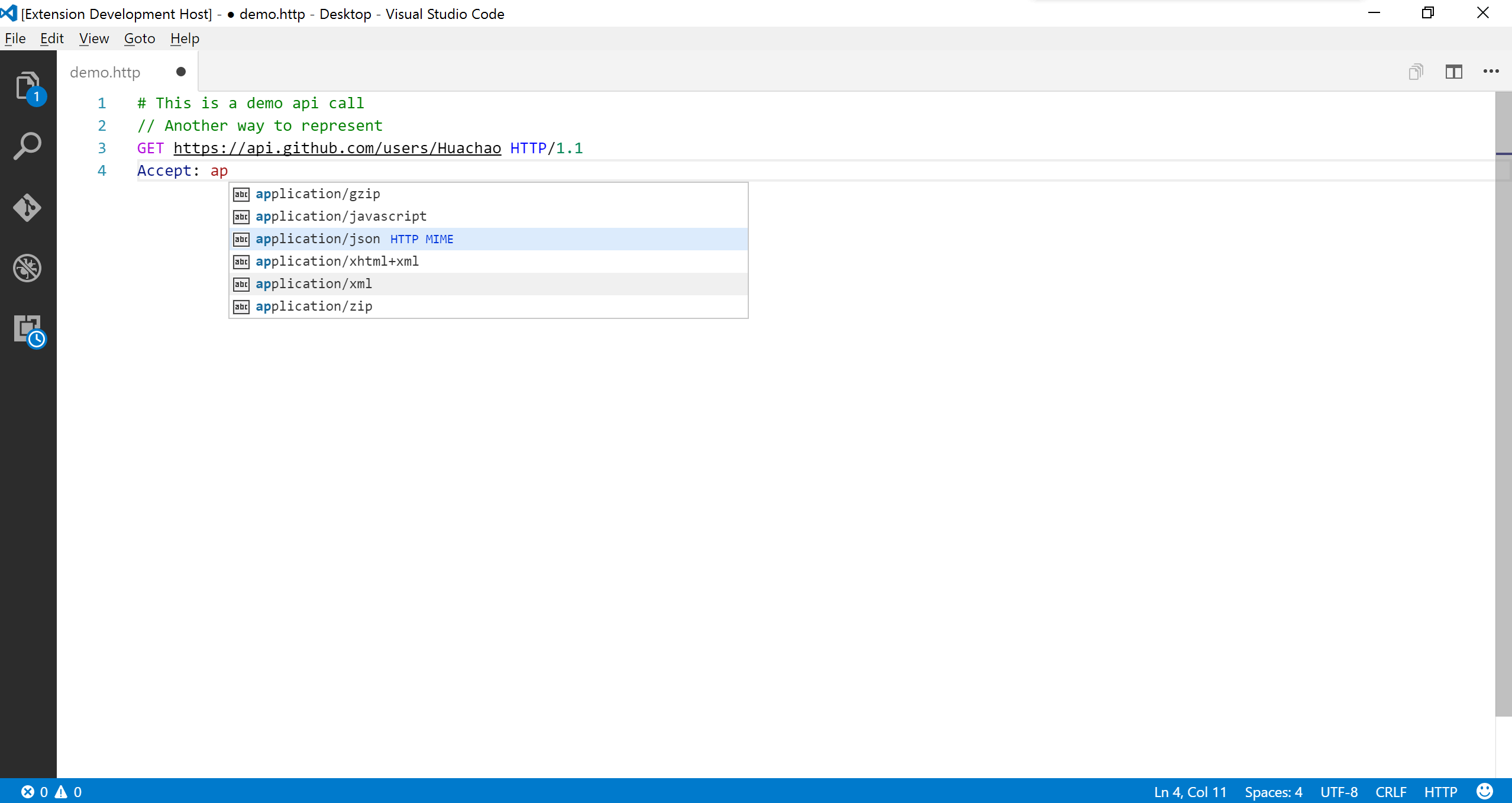
- Syntax highlighting for requests and responses
- Auto-completion for methods, URLs, headers, variables, MIME types
- Code snippets for common operations (GET, POST, etc.)
- Comment support (
#and//) - JSON/XML body indentation and auto-closing brackets
- Goto symbol definition (
Ctrl+Shift+O/Cmd+Shift+O) - CodeLens for sending requests
- Request block folding/unfolding
- Support for Markdown fenced code blocks with
httporrest
Proxy & Network
- Respects VS Code proxy settings (
http.proxy,http.proxyStrictSSL) - Support for HTTP and HTTPS proxies
- Exclude specific hosts from proxy via
rest-client.excludeHostsForProxy - Configurable timeout (0 for infinity)
File Support
- Use file contents as request body with
< path/to/file - Variable processing in referenced files with
@prefix - Encoding override for file references
- Support for multipart/form-data with file uploads
- Support for application/x-www-form-urlencoded format
- Clickable document links (Ctrl/Cmd + Click) to open files